Collect the good bits.
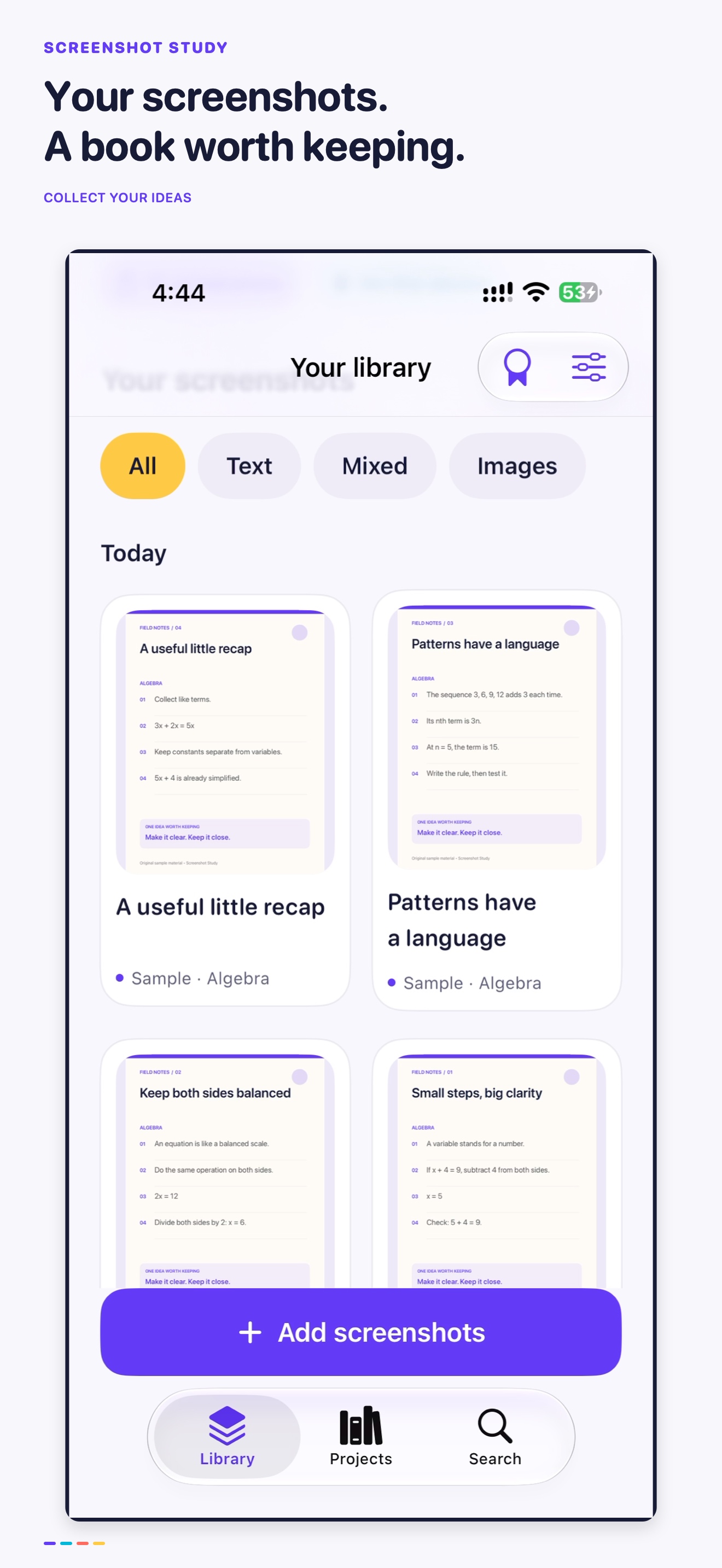
Bring images from Photos or Files. Find recent screenshots, browse by date and keep text pages separate from photos.
A LITTLE ORDER. A LOT MORE POSSIBILITY.
Give the things you save a place to belong. Turn a camera roll of useful moments into a beautifully organised study book.
For iPhone & iPad · Version 1.0 will be free.
App Store release is in preparation.
 A good idea.
FROM “SAVE THIS” TO “FOUND IT”
Bring images from Photos or Files. Find recent screenshots, browse by date and keep text pages separate from photos.
Name a book, choose a cover and arrange your pages. Keep your own order or review optional on-device suggestions.
Highlight, annotate and mask. Preview one, two or four screenshots per page, then save a searchable PDF.
YOUR SPACE TO MAKE SENSE OF IT
A chapter sidebar, a readable canvas and a text inspector. An iPad workspace that gives every part of your book a place.
Draw with your finger or Apple Pencil. Correct recognised text, add notes and keep only the details you want in your export.
Explore the capture-to-book guide →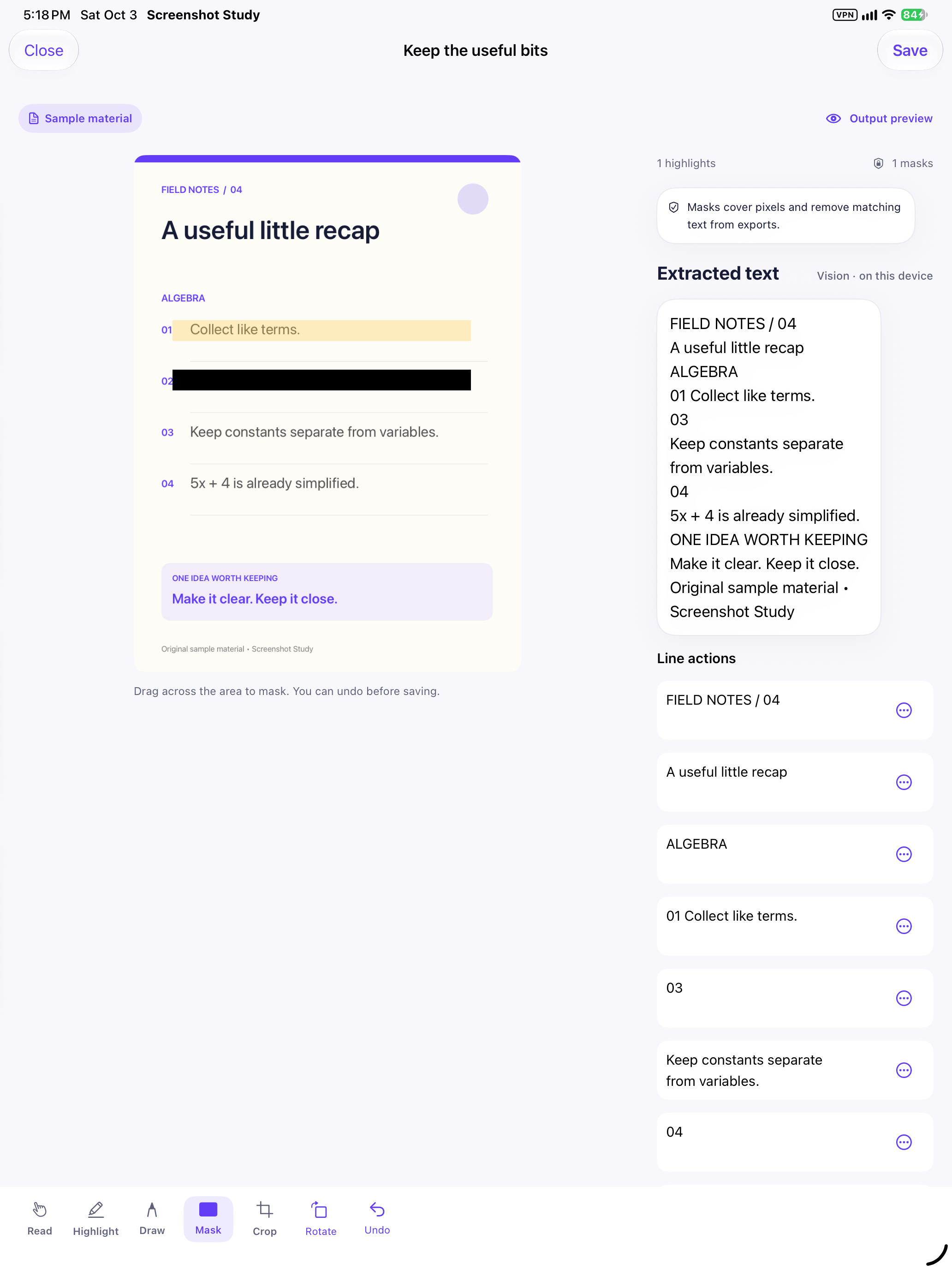
MEET SCREENSHOT STUDY
Watch the studio come together in 30 seconds.
Real app screens. Original sample material.
Sound is yours to switch on.
USEFUL LONG AFTER YOU SAVE IT
Keep lesson snippets and revision notes together in chapters you can return to.
Turn saved instructions and process notes into a compact reference document.
Bring useful pages from different places into one collection, in your own order.
YOUR IDEAS STAY YOURS
Your workspace saves locally first. Personal images, notes and chapters sync through your private iCloud account. Text recognition happens on your device; no study content goes to a third-party AI service.
iCloud requires the same Apple Account, app access and available storage. Originals sync for reversible editing, including areas masked in an export. Samples and generated PDFs stay local. Deletions sync too.
Read our privacy policy →
SCREENSHOT STUDY
Native for iPhone and iPad. iOS/iPadOS 18 or later.
English text recognition. Optional Apple Intelligence suggestions on supported devices.
Version 1.0 is free. App Store availability will be announced here after release.